
How do moderation rules work in Rypl?
Updated
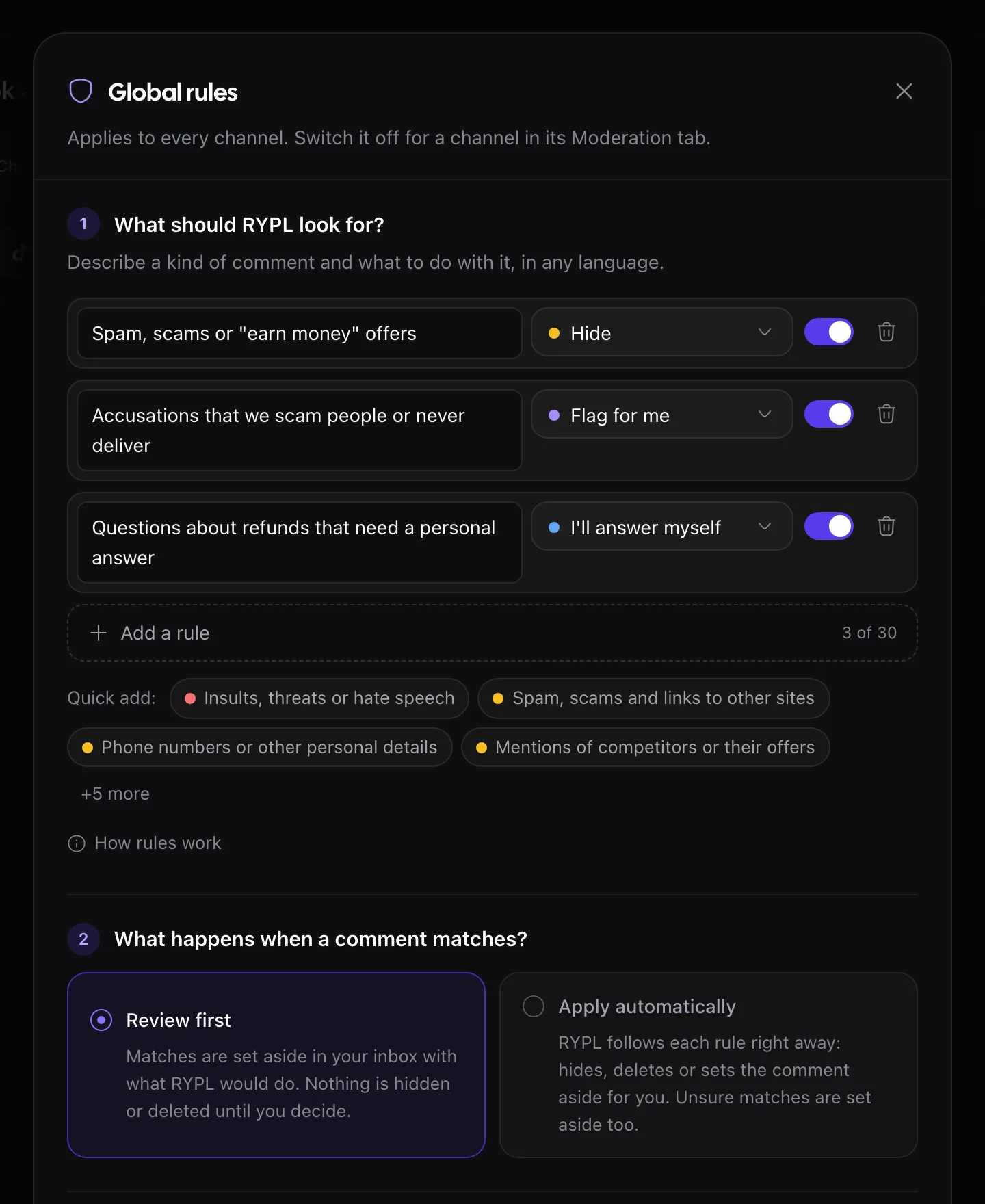
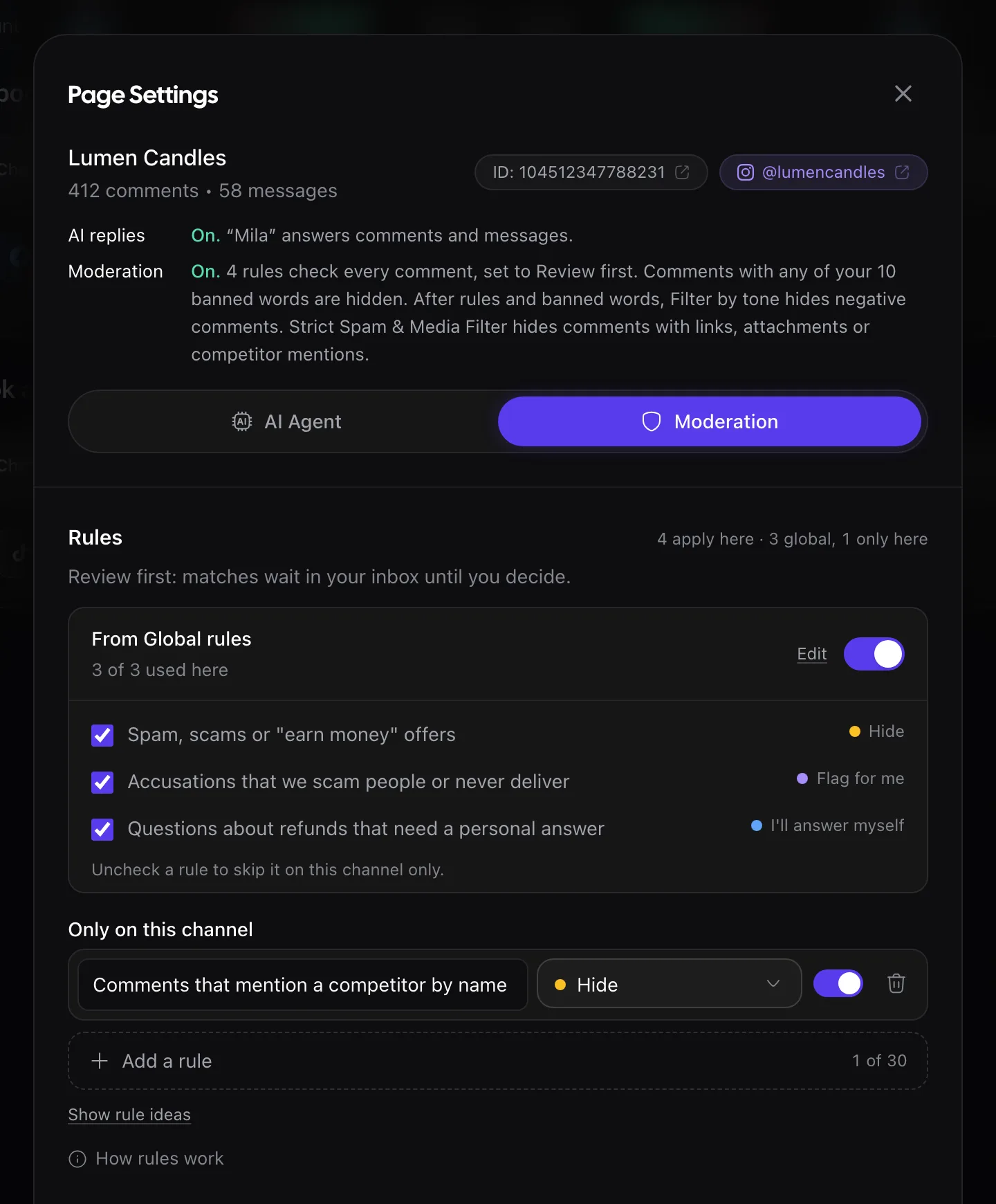
A moderation rule is a short instruction you write in plain words, in any language, plus what Rypl should do with a matching comment: up to 30 in Global rules and up to 30 more on each channel. Rypl reads each comment for meaning, so one rule covers every way of saying the same thing. Moderation rules are on the Pro and Ultra plans.
Examples
- Comments with links to other shops → Hide
- Anything about a refund or a missing order → Flag for me
- Questions about wholesale prices → I'll answer myself
Actions
| Action | What happens |
|---|---|
| Allow | Protects the comment from Hide negative and Delete negative only. Banned words, Hide all, Delete all, the Strict Spam & Media Filter and a stricter rule that also matches still win |
| Hide | Hidden from public view; the author isn't told |
| Delete | Removed for everyone. Can't be undone. Hides instead on TikTok |
| Flag for me | Goes to Needs attention for you to decide |
| I'll answer myself | The AI stays silent; the comment waits in Needs attention for your reply |
If several rules match, the strictest action wins: Delete, then Hide, Flag, Answer myself, Allow.
Review first or Apply automatically
It is one setting for all your rules, in Global rules. To stop rules on every channel for a while, click Pause your rules at the bottom of Global rules; banned words keep working.
What rules don't check
- Photo- or video-only comments. Rules skip them; the Strict Spam & Media Filter hides them.
- Direct messages. Rules act on comments only.
- Earlier comments. A new or changed rule checks new comments after you save.
Where to set them
- For every channel: the Global rules button at the top of Channels.
- For one channel: its Moderation tab, under Only on this channel. A channel can also skip the global rules there.
Banned words and filters work on every plan. On Simple, rules stay saved but don't run until you move to Pro or Ultra. Banned words are checked before rules and always win.
Related
Filter by tone
Filter by tone hides or deletes negative comments, or every new comment, on a channel. Off by default, on every plan. TikTok hides only.
Hidden by mistake?
It can happen, and it's easy to undo: hidden comments can be shown again. Review first mode, the hidden filter and Allow rules keep mistakes rare.