
What does Needs reconnect mean in Rypl?
Updated
Needs reconnect means Rypl lost access to the channel, so it can't read or answer comments there. Reconnect the account and Rypl picks up again on new comments; comments posted while it was disconnected aren't answered.
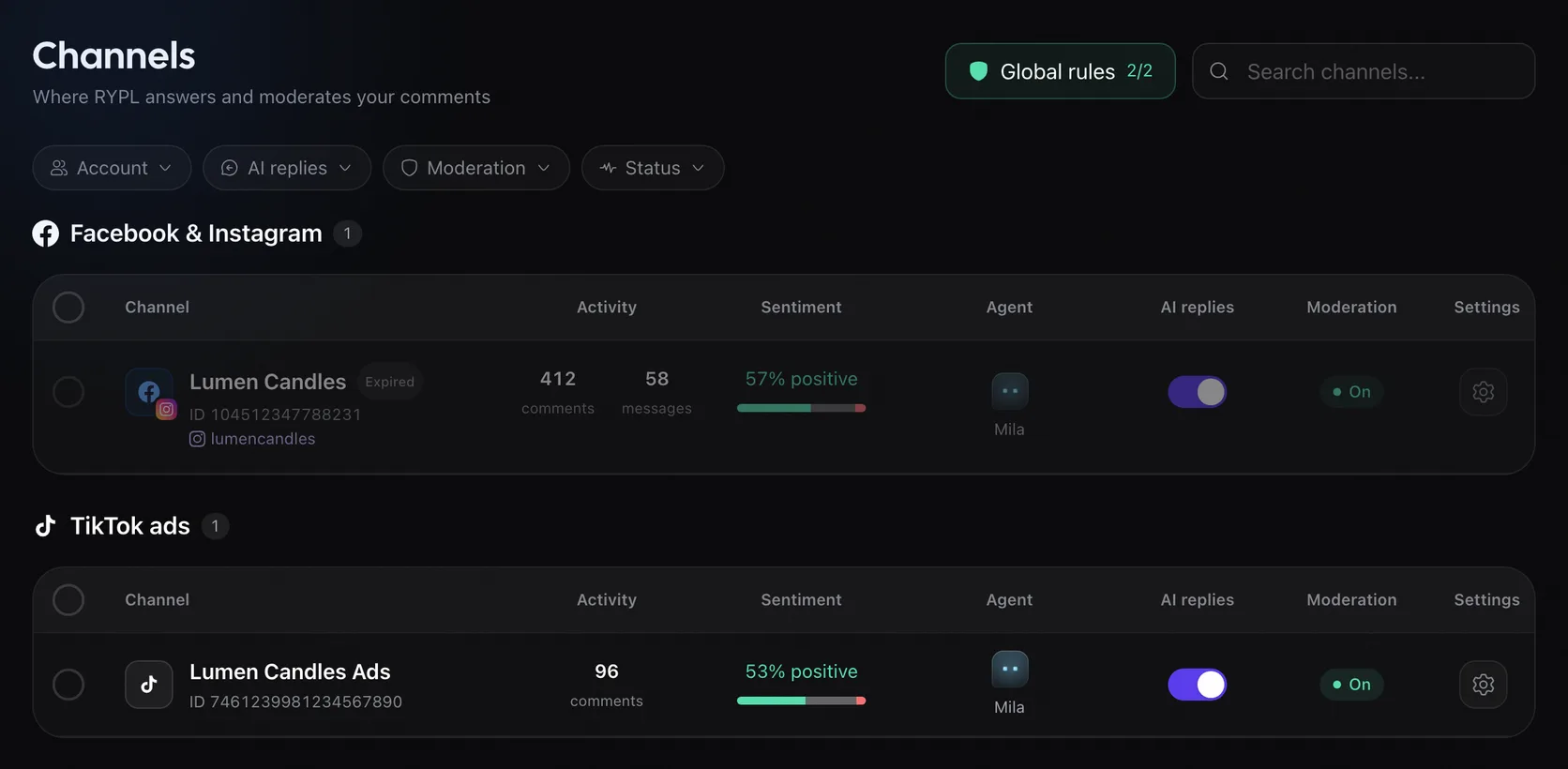
Where you see it
- Accounts: the account shows Expired or Disabled. Click the label to reconnect.
- Disabled after sign-up: if you connected during sign-up but didn't start a plan within 3 days, the account is Disabled. Starting a plan turns it back on, with no reconnect needed.
- Channels: the account's Pages are dimmed with the same label. The Status filter, set to Needs reconnect, lists them all.
Messages you may see
| Message | What to do |
|---|---|
| "Token expired. Click to reconnect." | Click it and sign in again |
| "This Facebook Page is disconnected. Reconnect Facebook account." | Connect Facebook again and select the Page |
| "TikTok access was revoked or expired. Reconnect your TikTok account." | Connect TikTok again |
| "Insufficient TikTok permissions for this action." | Connect TikTok again and allow every permission |
Common causes
- You changed your Facebook password, or Facebook asked you to log in again.
- You lost your role on the Page or in the Business portfolio.
- Rypl's access was removed in Facebook or TikTok settings.
Connecting with Business profile avoids most of this: the connection goes through your Business portfolio and doesn't need re-login.
Page or account missing
Usually the Page wasn't selected when you connected, your profile doesn't manage it, or the Instagram account isn't linked to the Page.
Replies paused by Facebook
Facebook restricted how your Page can comment. Rypl pauses AI comment replies until it ends, shows why and how long is left; messages still get answers.