
How do I sign up for Rypl?
Updated
Create an account at app.rypl.is/signup and follow the set-up. It takes a few minutes: you describe your business, Rypl builds an agent and moderation for it, and you connect your channels. Sign up with Google, or with email (you confirm the address first).
Answer a few questions
Where you get comments, and who you are setting Rypl up for.
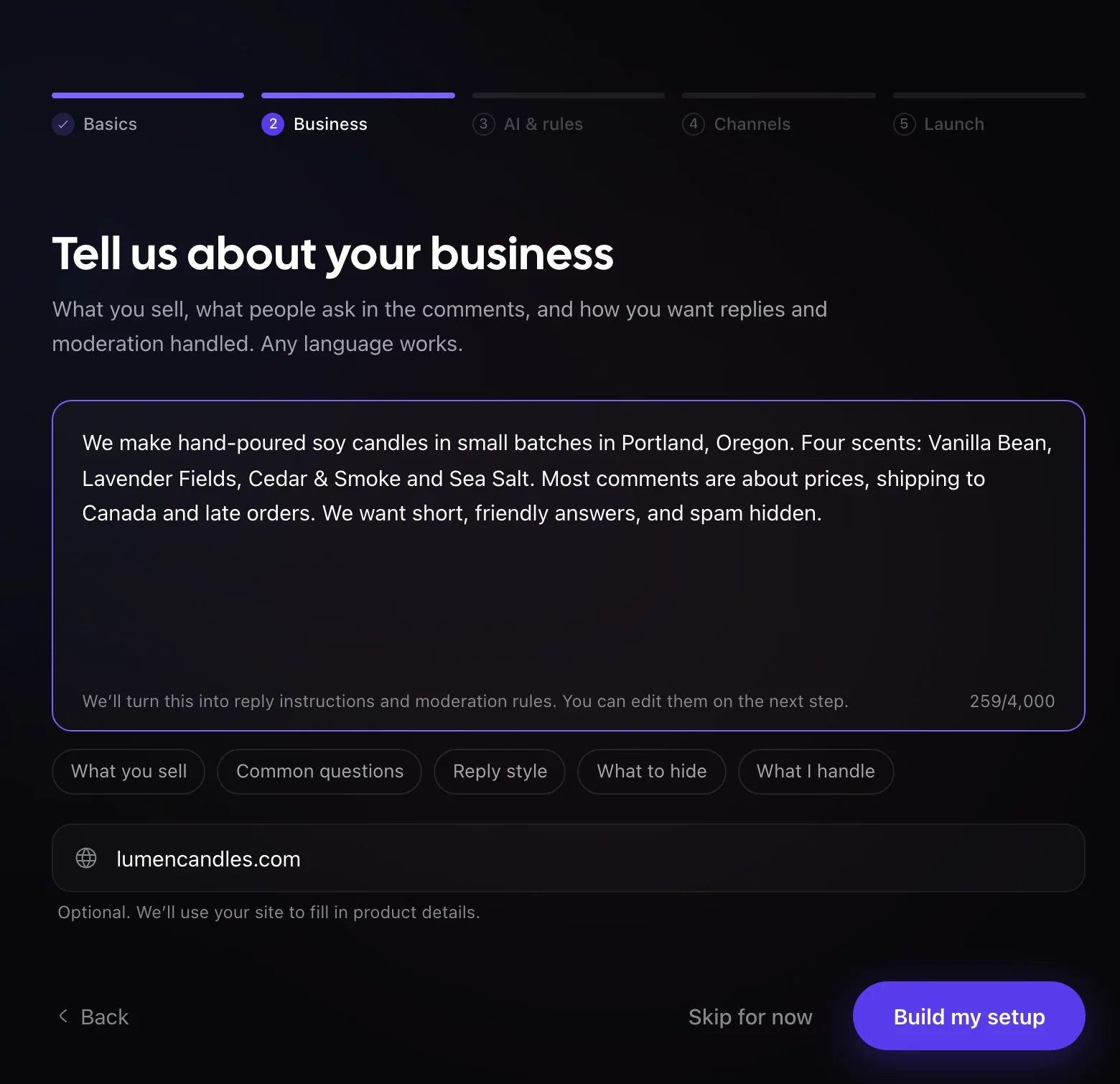
Tell us about your business
What you sell, what people ask, how replies should sound, what to hide and what you want to handle yourself, in any language. Add your website if you have one. Click Build my setup.
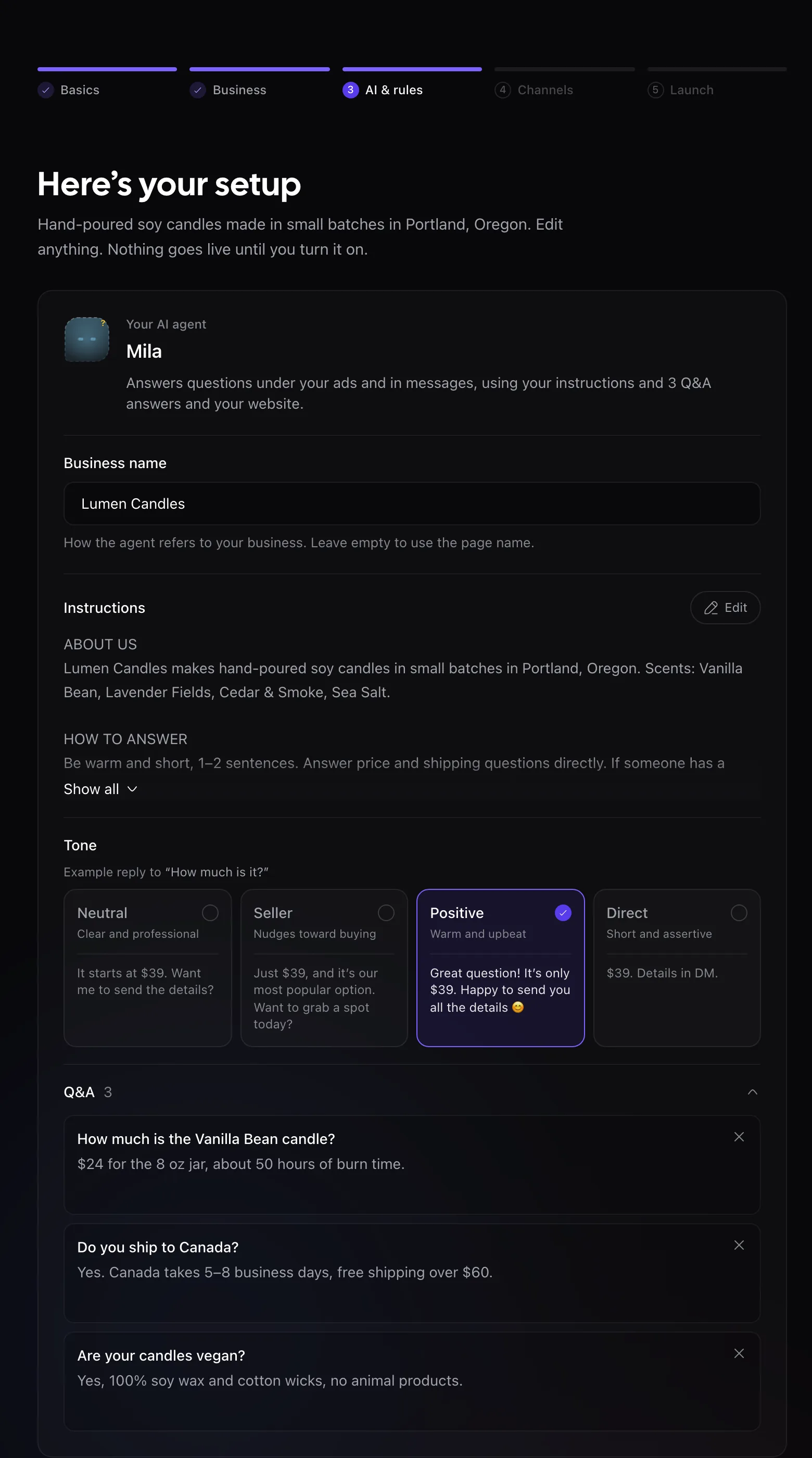
Check your setup
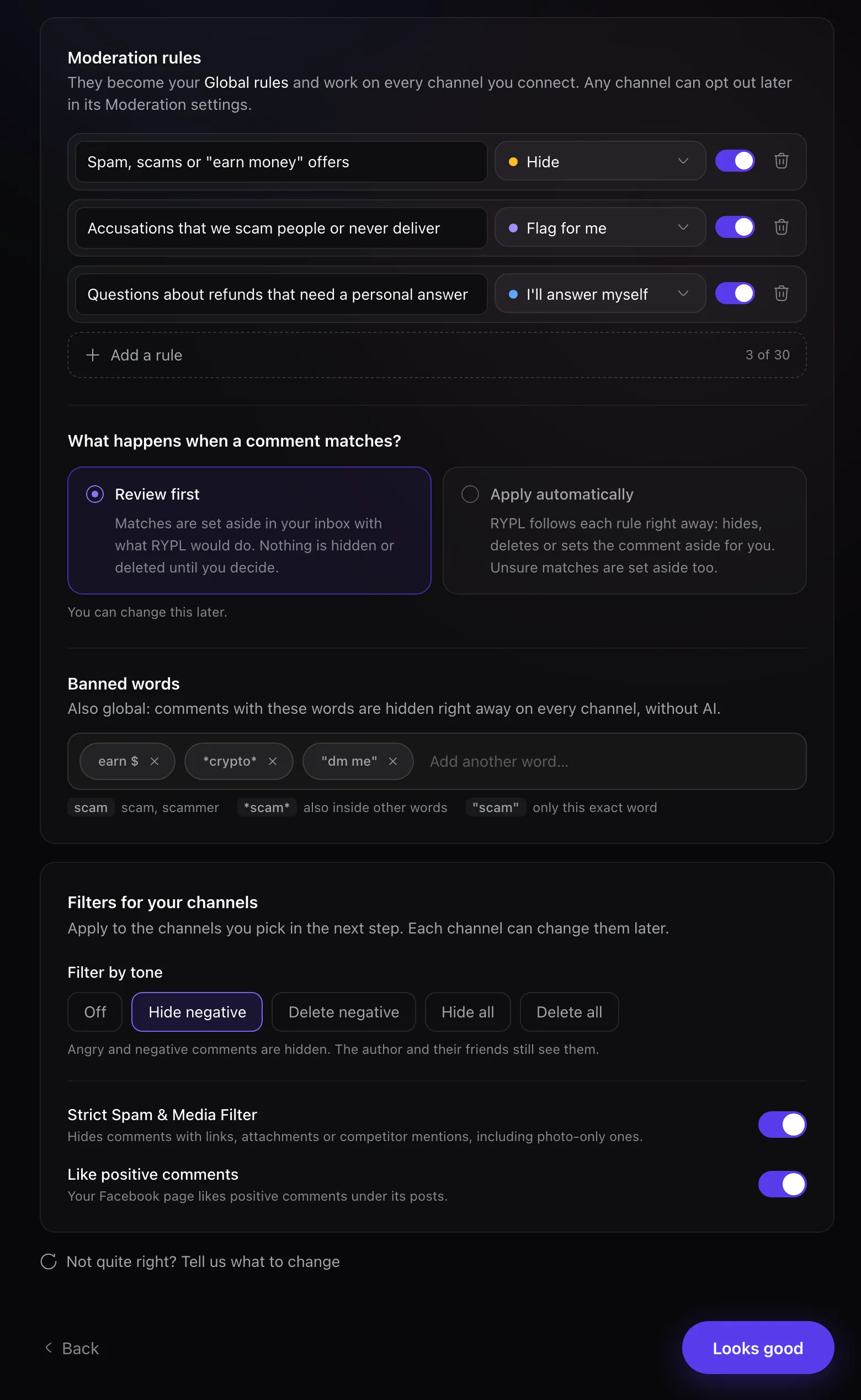
Rypl drafts an agent with instructions, tone and Q&A answers, plus moderation rules and banned words. Edit anything: nothing goes live until you turn it on. Not quite right? Say what to change and Rypl rebuilds it.
Connect your channels
Connect one account now: Facebook (Instagram comes with its linked Page) or TikTok. Add more after your trial starts, up to your plan's limit.
Start the trial
Pick Simple, Pro or Ultra: $0 today, no charge until the 7-day trial ends. If you've had a Rypl trial before, you're charged today. Rypl then turns on, and new comments get an answer within a minute.
Moderation rules work on Pro and Ultra. Banned words and filters work on every plan.
Related
Key terms
Channel, agent, knowledge base, Global rules, Conversations, Needs attention: the words you meet in Rypl, each explained in one or two sentences.
Connect Facebook
In Rypl, open Channels, click Connect Facebook, choose Business profile or Personal profile, allow the permissions and select your Pages.