
What can I do in Rypl's Conversations inbox?
Updated
Conversations is Rypl's inbox: every comment and message from your Facebook Pages, Instagram accounts and TikTok ads in one list, where you can reply, hide, delete, block authors and mark comments as reviewed.
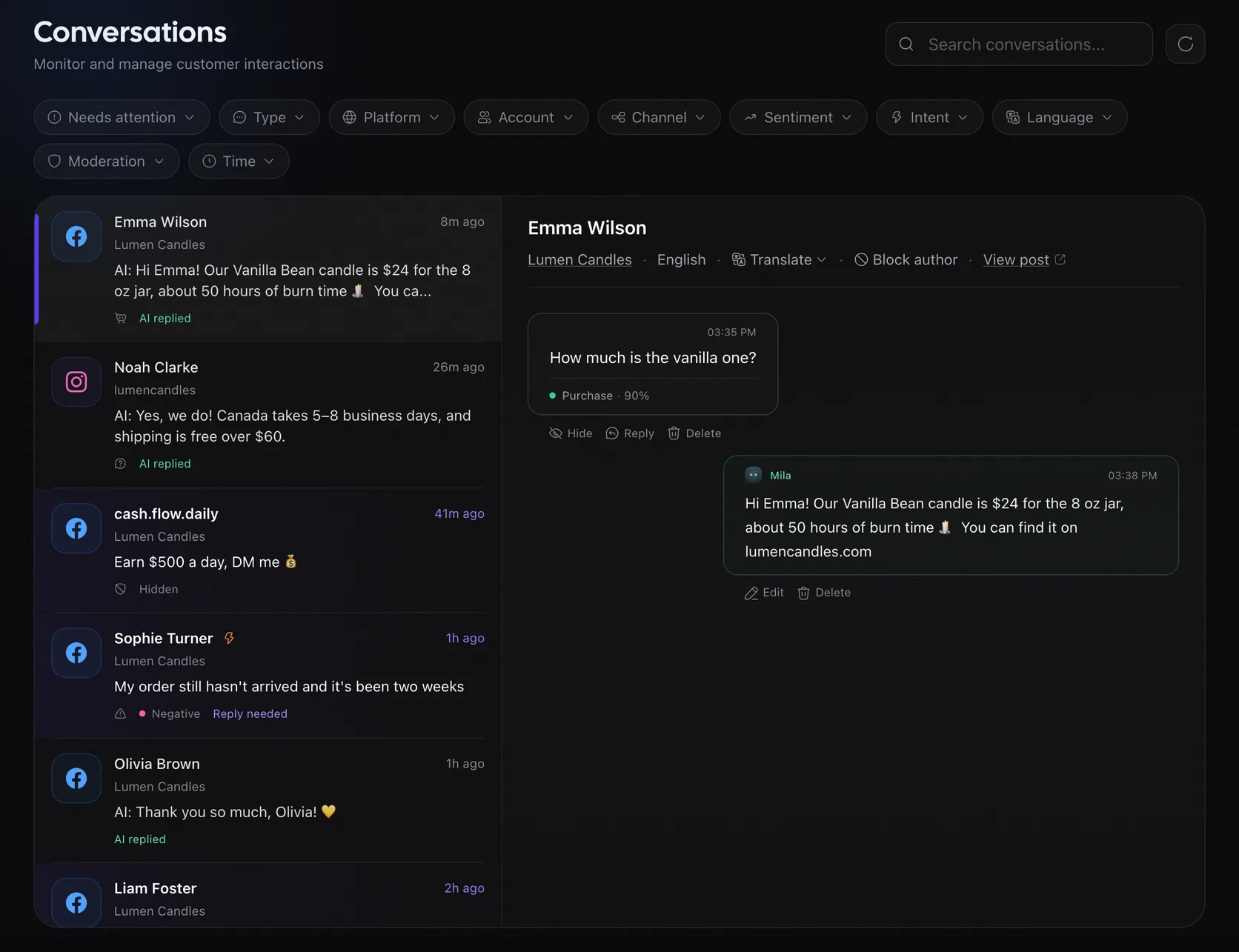
Actions
| Action | Notes |
|---|---|
| Reply | To comments and to DMs. On Facebook and TikTok you can also Edit a reply after it is posted; on Instagram you can't |
| Hide / Unhide | Hides the comment on the platform, or shows it again |
| Delete | Removes the comment for good. Not available for other people's comments on TikTok |
| Mark as reviewed | On comments flagged Needs review or Reply needed: takes them out of Needs attention |
| Block author | In the conversation header. Hides their comments and every new one on the channel. See How do I block a comment author in Rypl? |
| Translate | In the conversation header: shows the comment in another language |
| View post | Opens the ad or post the comment is under |
Filters
- Type: Comments or Messages.
- Platform: Facebook, Instagram, TikTok.
- Sentiment: Positive, Neutral, Negative.
- Intent: see What do the intent labels mean?
- Moderation: see How do I see the comments Rypl hid?
- Account and Channel: one client or one Page at a time.
- Language: comments in one language.
- Time: Today, Last 7 days, Last 30 days.
Replying to DMs
The agent answers a DM within 24 hours of the person's last message, as Meta allows. You can still reply yourself for up to 7 days, if your connection has Meta's Human Agent permission. After that, Conversations shows that the messaging window has expired.