
How do I block a comment author in Rypl?
Updated
In Conversations, open a comment from the person and click Block author in the conversation header, next to Translate and View post. Rypl hides their comments in this conversation and every new comment they post on that channel. They aren't notified, and you can undo it.
It isn't a Facebook or TikTok ban: they can still comment, and those comments are hidden, and they can still message you. Blocking needs an active plan.
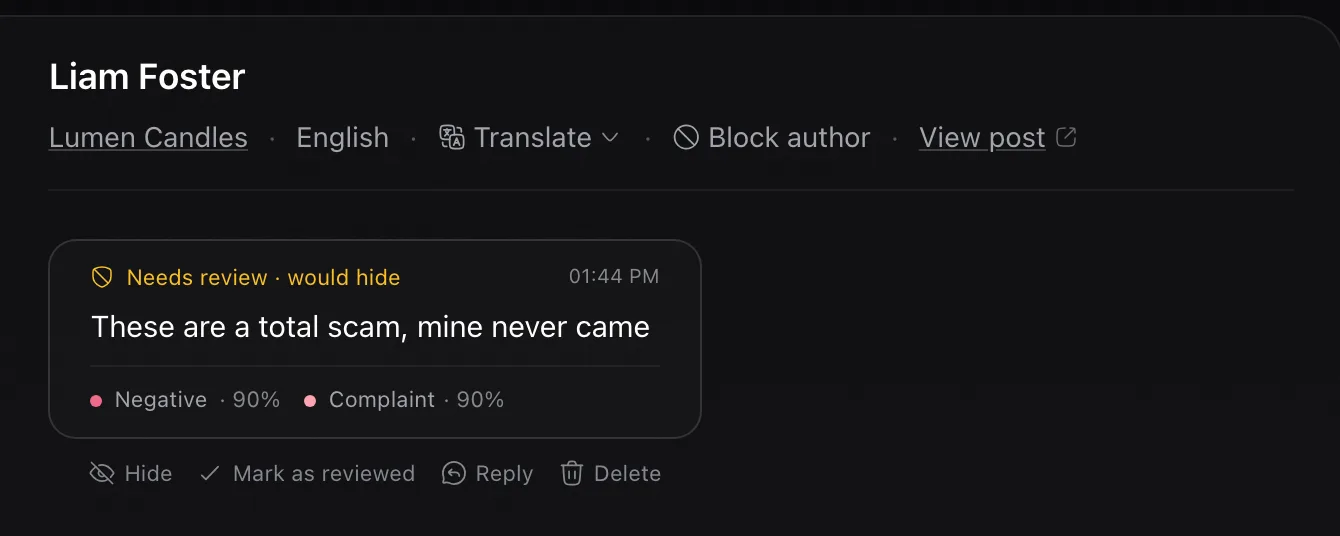
- Undo: click the Blocked badge next to their name, then Unblock, or use Unblock in the From blocked authors list. New comments are allowed again; comments hidden earlier stay hidden.
- See everyone you blocked: in Conversations, filter by From blocked authors.
- Per channel: a block applies to the channel where you set it.
When to block
Block repeat spammers and people who post the same abuse again and again. For a one-off rude comment, hiding the comment is enough.
Related
Hidden by mistake?
It can happen, and it's easy to undo: hidden comments can be shown again. Review first mode, the hidden filter and Allow rules keep mistakes rare.
Hide or delete?
Hide by default: a hidden comment can be shown again and the author doesn't know. Delete only what you are sure must go. On TikTok, Rypl can only hide.