
What is Needs attention in Rypl?
Updated
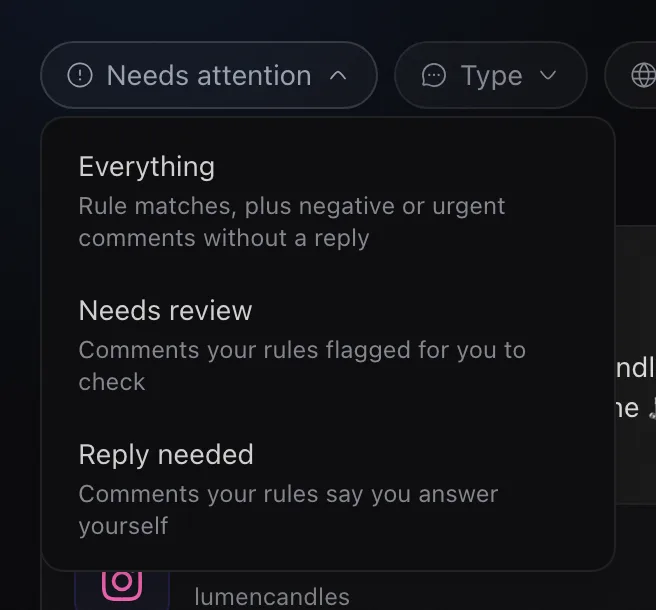
Needs attention is the queue in Rypl's Conversations inbox for what a person should handle: comments your rules flagged, comments you said you answer yourself, and negative or urgent comments that have no reply. It has three views:
| View | What's in it |
|---|---|
| Everything | Rule matches, plus negative or urgent comments that have no reply |
| Needs review | Comments your rules flagged for you to check |
| Reply needed | Comments your rules say you answer yourself |
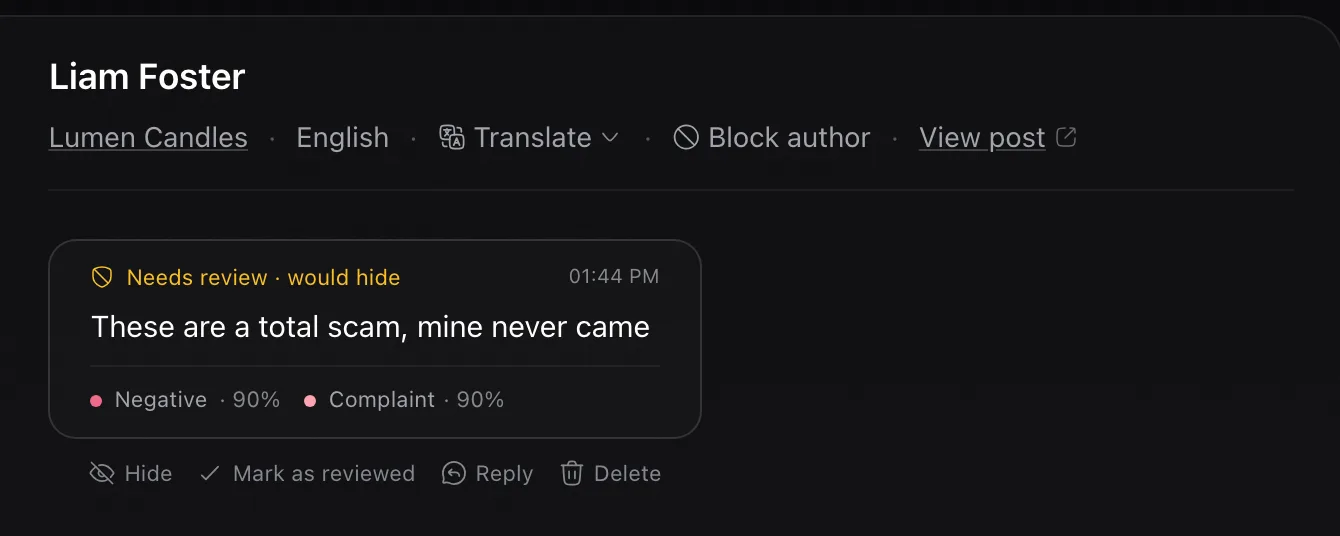
A comment labelled Needs review · would hide matched a rule that would hide it. You see it because the rules are set to Review first.
How a comment leaves the queue
- Negative or urgent comments leave when you or the agent reply, when they are hidden or deleted, or when you open the conversation.
- Needs review and Reply needed stay until you click Mark as reviewed, hide or delete. Reply needed also clears when you reply yourself.
Everything also includes negative or urgent DMs on channels with AI replies on.
The dashboard shows the number of open items on its Needs attention tile.
Related
Approving replies
No. AI replies are posted on the agent's How soon timing. To control the words, use reply rules with My text, or answer yourself in Conversations.
Hidden comments
In Conversations, filter by All hidden or deleted. Each comment shows why it was hidden: banned words, your rules, the tone filter or you.