
How does Suggest improvements work in Rypl?
Updated
In Rypl, Suggest improvements, under the instructions on the agent's Persona tab, reads up to 30 of the agent's recent replies and 20 questions it couldn't answer, from the last 30 days, then drafts new Q&A and changes to the instructions. You add each one with a click.
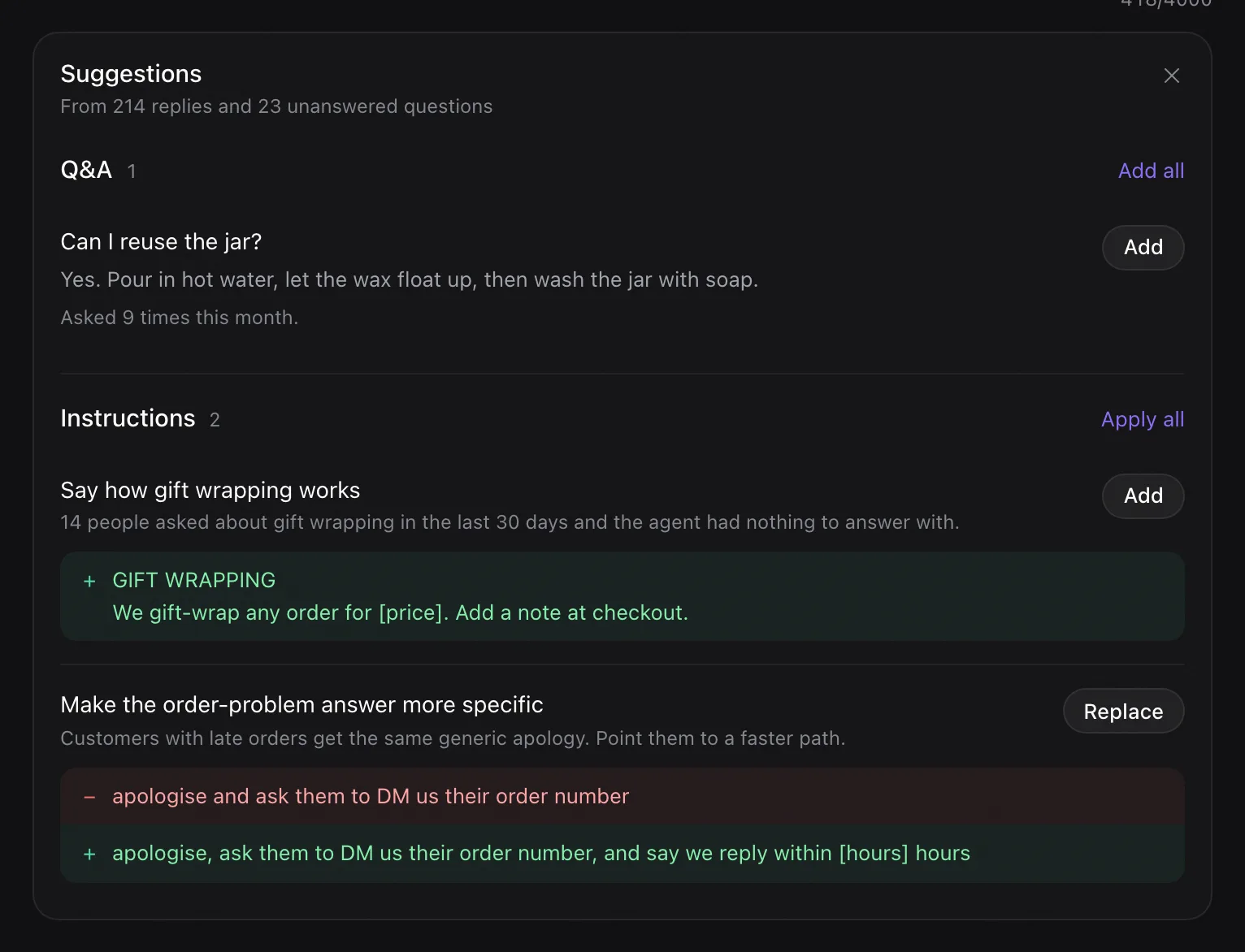
What you get
- Q&A: questions customers keep asking, with a drafted answer and the reason. Click Add, or Add all. If the Q&A came out of your instructions, adding it also removes that text from the instructions.
- Instructions: additions, rewrites and removals, shown as a before and after. Click Add, Replace or Remove, or Apply all.
- Knowledge document: sometimes a drafted document; Save as training file adds it to the Knowledge tab.
Where an answer needs a fact only you know, such as a price or a delivery time, the draft leaves a gap in [brackets]. Fill it in before you save.
If there is nothing to change, it says so. It works on a saved agent, up to 10 times an hour, with a minute between runs.
Related
Where and how soon it replies
Choose Where it replies (comments, messages or both) and How soon (immediately, within a few minutes, an hour or a day).
What Rypl hides
Rypl checks every new comment against your banned words, your moderation rules and your filters, and hides spam and hate within seconds.