
How do banned words work in Rypl?
Updated
In Rypl, a comment that contains a banned word is hidden or deleted right away, without AI. Moderation rules can't override banned words, and they work on every plan.
Global or one channel
- Global banned words work on every channel unless you switch From Global rules off in that channel's Moderation tab. Set them in Global rules, the button at the top of Channels. Up to 50 words.
- Only on this channel adds words for one channel, on top of the global ones. Up to 50 words per channel.
Each list is set to Hide, Delete or Off. On TikTok, Delete isn't available: TikTok only allows hiding.
How a word matches
| You type | It matches |
|---|---|
scam | Words that start with "scam": scam, scammer, scams |
*scam* | "scam" anywhere, even inside another word |
"scam" | Only the whole word "scam" |
Separate words with Enter or a comma.
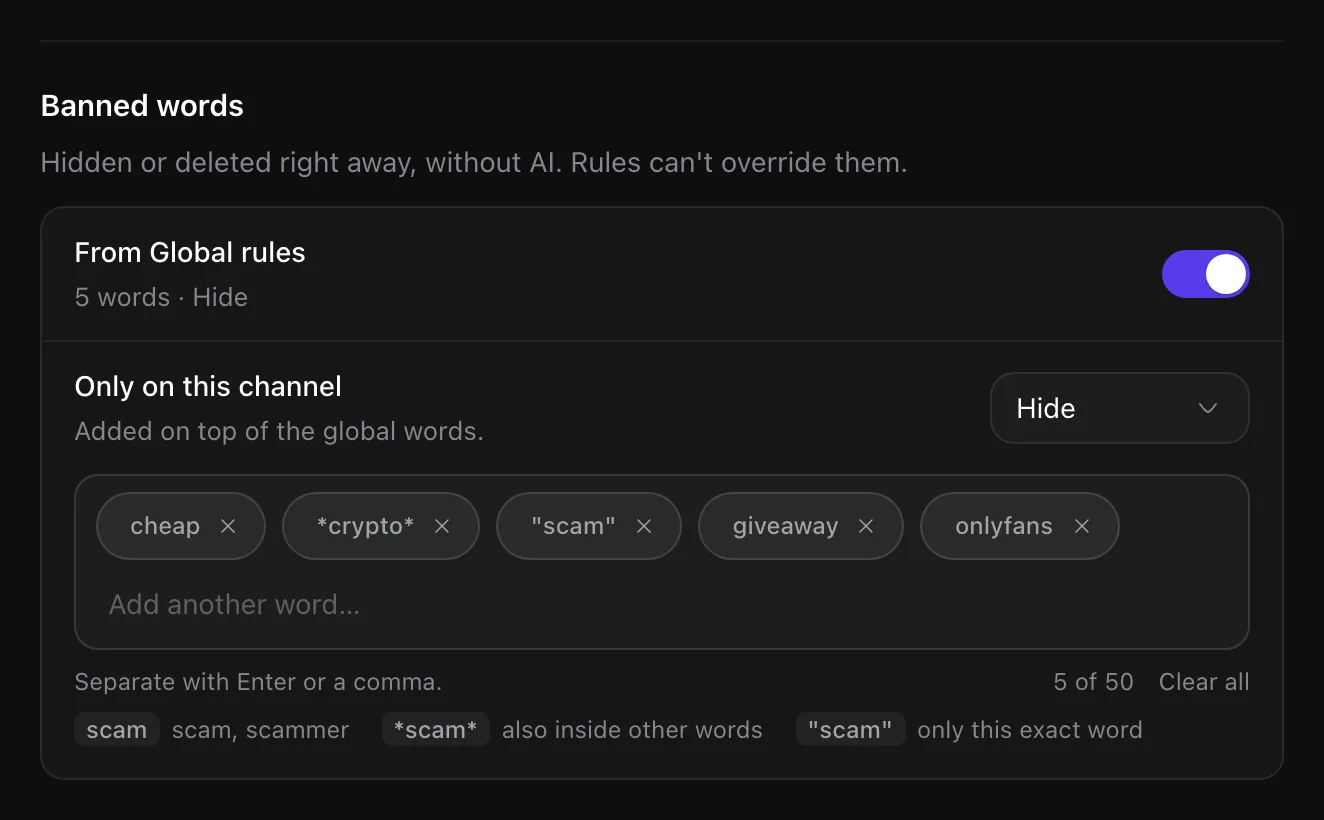
Use banned words for exact spellings: competitor names, slurs, a scam domain. For anything that can be said many ways, a moderation rule catches the meaning.
Related
What Rypl hides
Rypl checks every new comment against your banned words, your moderation rules and your filters, and hides spam and hate within seconds.
Filter by tone
Filter by tone hides or deletes negative comments, or every new comment, on a channel. Off by default, on every plan. TikTok hides only.