
What can I add to Rypl's knowledge base?
Updated
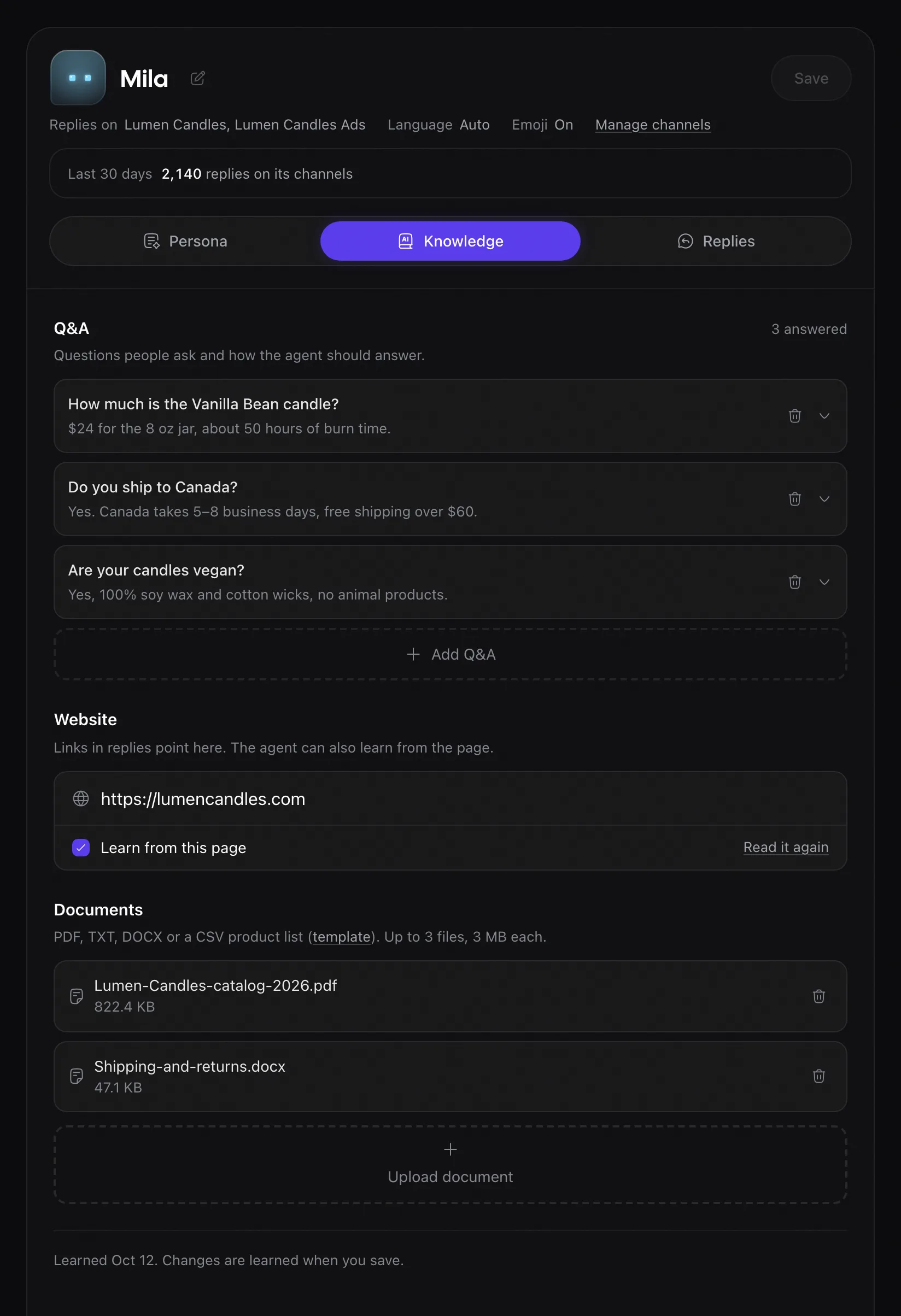
Rypl's knowledge base is what the agent knows about your business: your website, Q&A answers and up to 3 documents, on the agent's Knowledge tab. It is on every plan.
| Source | What to add |
|---|---|
| Website | Your site's address. Links in replies point here, and the agent can learn from the page. |
| Q&A | A question customers ask, and how the agent should answer it. Best for facts the agent must get right every time; it still words the reply itself. |
| Documents | Up to 3 files, 3 MB each: PDF, TXT, DOCX or a CSV product list (the app has a template). Price lists, size charts, a returns policy. |
It learns when you save
There is no train button. When you save a change, the knowledge base learns it, and the next reply uses the new facts. The bottom of the tab shows when it last learned, for example "Learned Oct 12. Changes are learned when you save." If your website changes, click Read it again.
What to add first
- The 20 to 50 questions you get most, as Q&A.
- Prices, including variants and current offers.
- Shipping: countries, delivery times, costs.
- Returns: window, conditions, how to start one.
Use text-based files. A scanned image of a page can't be read, and Rypl marks it "couldn't read this file".
Related
Brand voice and tone
Pick one of four tones and write instructions of up to 4,000 characters. Specific instructions and a few example answers work best.
Where and how soon it replies
Choose Where it replies (comments, messages or both) and How soon (immediately, within a few minutes, an hour or a day).