
How do reply rules work in Rypl?
Updated
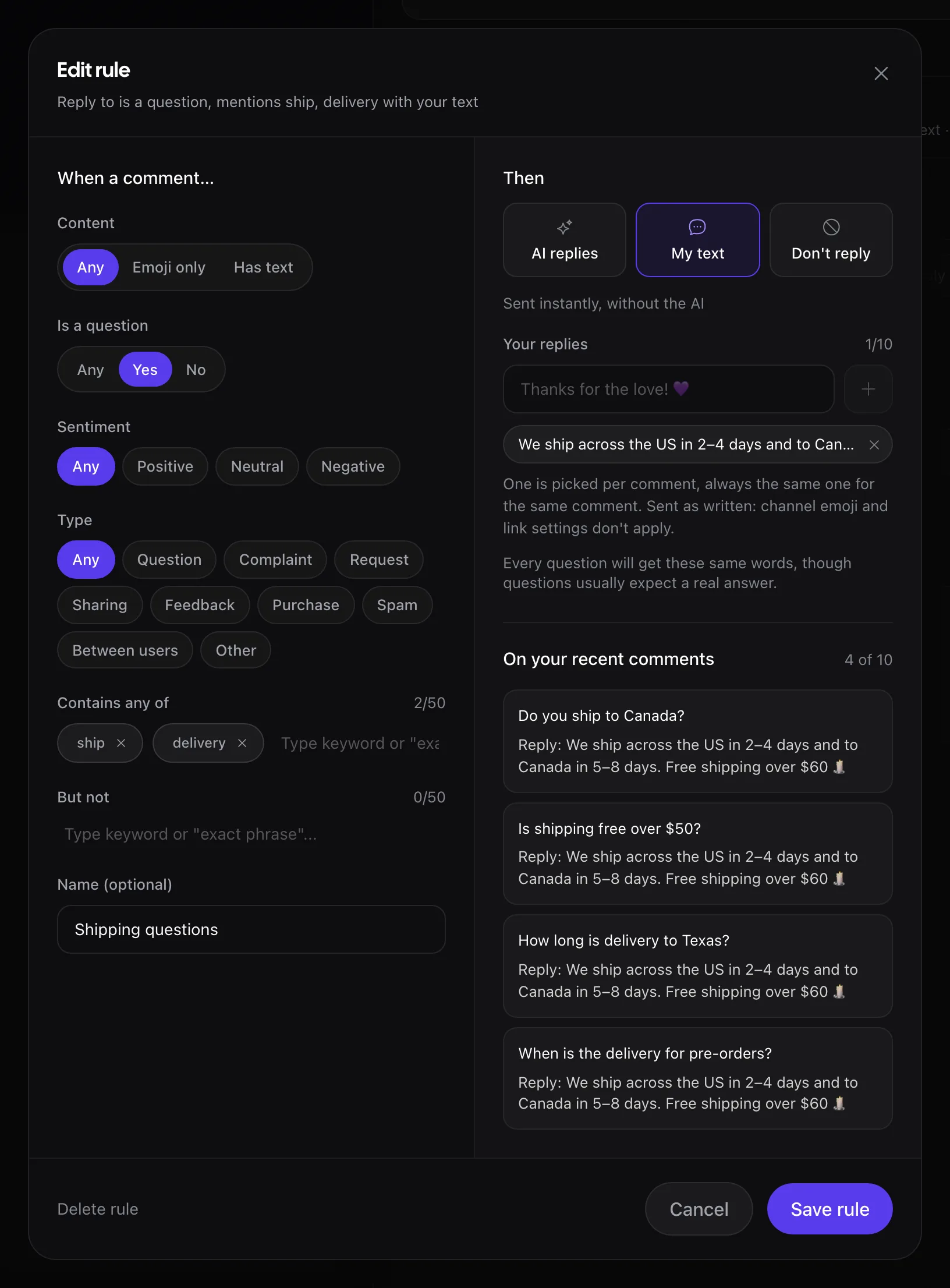
A reply rule in Rypl picks a group of comments and says what the agent does with them: AI replies, My text or Don't reply. Rules live on the agent's Replies tab, under What it replies to: up to 20 per agent, on the Pro and Ultra plans.
Conditions
A rule matches a comment when all its conditions match:
| Condition | Options |
|---|---|
| Content | Any, Emoji only, Has text |
| Is a question | Yes or no |
| Sentiment | Positive, Neutral, Negative |
| Type | The comment's intent, such as Question or Feedback |
| Contains any of | Up to 50 words |
| But not | Up to 50 words that cancel the match |
Actions
| Action | What happens |
|---|---|
| AI replies | The agent writes the reply, following its instructions |
| My text | Your own reply, sent without the AI on the agent's How soon timing. Add up to 10 versions: Rypl picks one per comment. It is sent as written, so the channel's emoji and link settings don't apply |
| Don't reply | The agent stays silent, even if the comment is a question |
If two rules disagree, Don't reply wins: never-reply rules are checked first.
Ready-made rules
- Emoji-only reactions: claps, hearts and other emoji with no text.
- All positive comments.
- Never reply when: stay silent on comments with the words you list.
- Custom rule: pick the conditions yourself.
Preview before saving
Under On your recent comments, Rypl shows how the rule would have treated real comments on your channels, including the ones it would leave unanswered.
Suggestions for repeated comments
When the same comment keeps coming, Rypl suggests answering it with your own text, so the AI doesn't write it again each time.
Which comments get answers
By default the agent answers questions, purchases and requests. A complaint that only states a problem waits for a person, and spam is never answered.
Thank-you replies
Turn on Praise and support on the agent's Replies tab and the agent thanks people for kind comments. Pro and Ultra.