
How do I turn on AI replies in Rypl?
Updated
To turn on AI replies in Rypl, open Channels, click the gear on the channel's row to open Page Settings, go to the AI Agent tab, switch on Reply with AI, choose your agent and click Save Settings. New comments on that channel start getting replies. For a TikTok ad account the window is called Ad Account Settings.
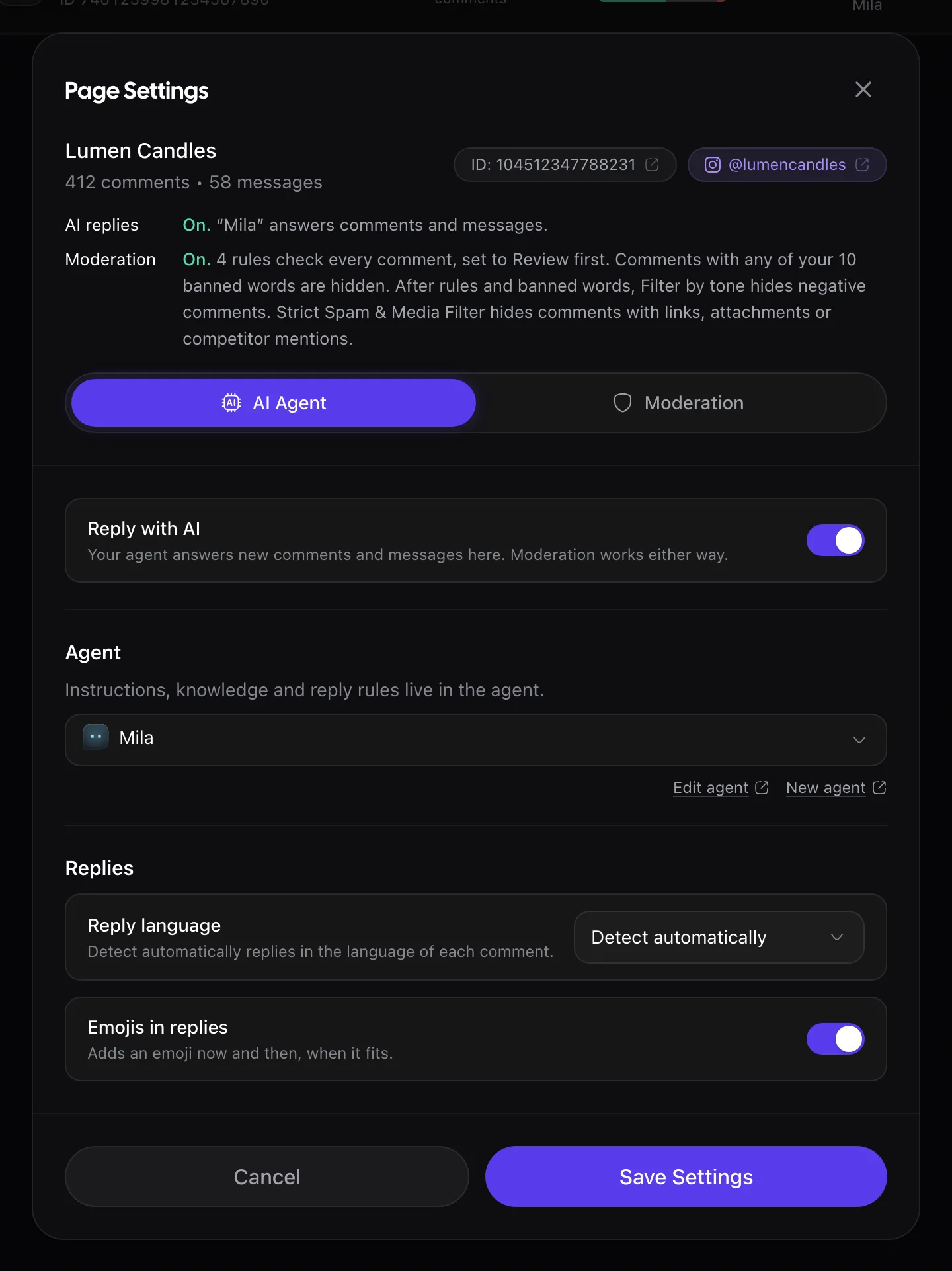
- On the Channels list, the AI replies switch on each row does the same.
- Channels you connect after sign-up start with AI replies off. Pages picked during sign-up are already on.
- Moderation works either way. A channel can run on moderation only: banned words, rules and filters still hide spam. The Moderation label on its row shows whether it is on.
- Changes apply to new comments after you save. Earlier comments aren't answered.
What to check on day one
- Read the replies in Conversations.
- Open the filter All hidden or deleted and unhide anything hidden by mistake.
- Add missing facts to the knowledge base when an answer is off. Fix the source, not one reply.
Related
Set up your first agent
Check the agent Rypl built from your business description: name, instructions, tone and knowledge base. Then assign it to your channels.
Add another Page
Click Connect Facebook again and tick the new Page, keeping your other Pages ticked. Then turn on AI replies for it: new Pages start switched off.