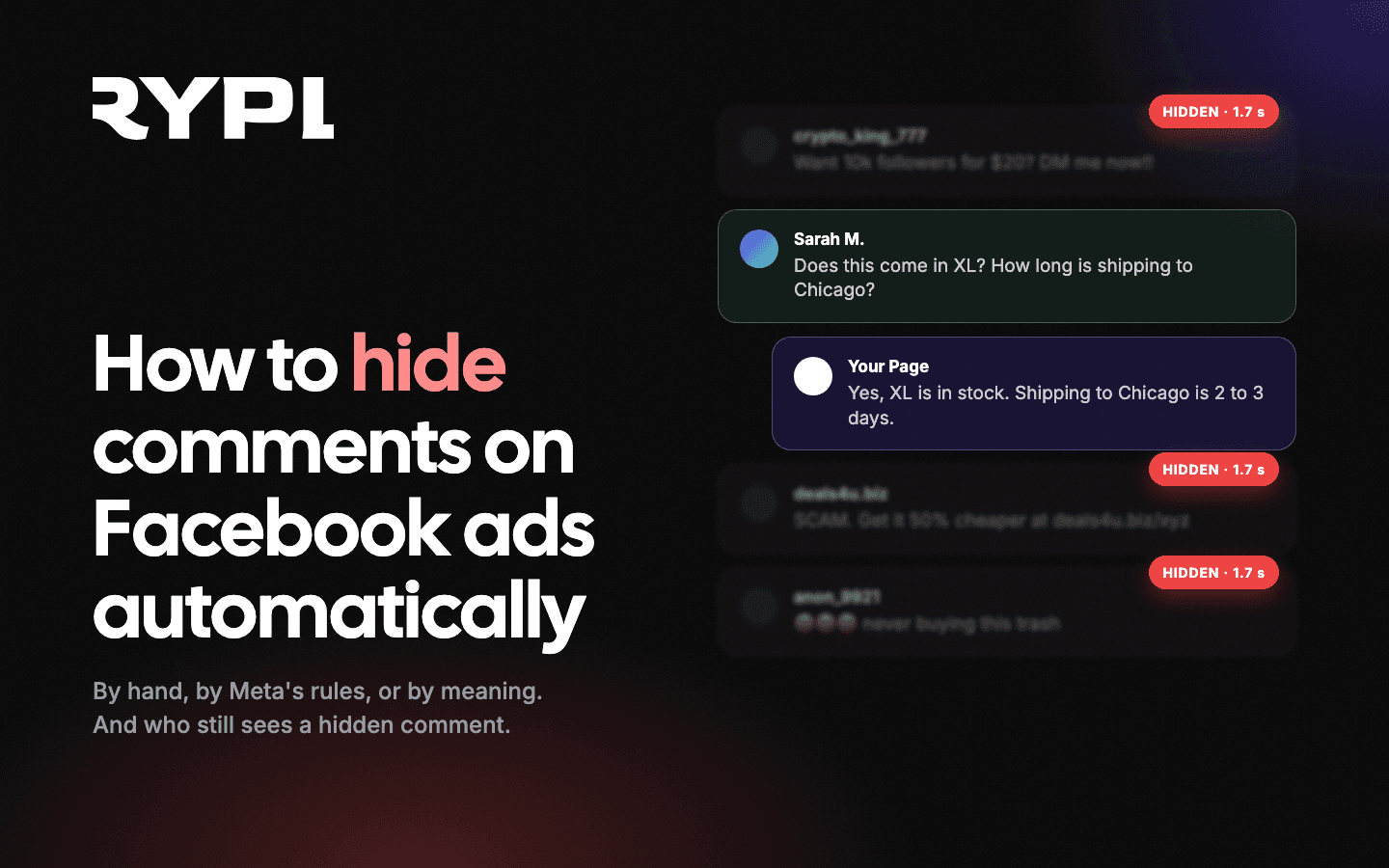
Three ways to hide comments on Facebook ads. By hand: Ads Manager, Ads tab, Edit, ···, More options, Manage Facebook comments, hover the comment, Hide comment. By Meta's rules: Moderation Assist in the Page's Professional dashboard hides comments matching criteria (links, images, keywords, profanity, new or empty accounts) on your Page and on ads you run. By meaning: an API tool such as Rypl reads each comment, spots spam, scams and abuse in about 1.7 seconds and hides them within seconds (RYPL's own measurement), while answering the real questions. A hidden comment stays visible to its author and their friends only (and to you, in the Page's moderation tools). Turning comments off entirely exists (Comment controls) but is not available to every account and costs you the social proof an ad needs.
Spam under an ad is expensive in a way that never shows in Ads Manager. A scam link, a "this is fake" comment or a competitor's discount code sits at the top of the thread, and every person who scrolls past your creative reads it before they read your offer. This guide covers each way to get those comments out of sight in 2026, from a single click to fully automatic, and what each method leaves behind.
What happens when you hide a comment on a Facebook ad?
In the public thread, a hidden comment disappears for everyone except the person who wrote it and their Facebook friends. Replies to it are hidden along with it. You and anyone else managing the Page can still see it in the moderation tools and the Activity Log, and unhide it. The author gets no notification, so a spammer usually never notices. That is exactly why hiding works better than deleting for spam: a deletion is visible to the author and tends to provoke a second attempt.
Meta does not publish how hidden comments are weighted in ad delivery. What is known: hiding is the moderation control Meta itself provides, the comment still exists on the ad, and there is no published evidence that hiding costs the ad anything. It is also reversible: you can unhide a comment later if it turns out to be a real customer.
Delete removes the comment for everyone, permanently, and cannot be undone; Ban (from the same menu) stops that account from commenting on the Page at all. Which of the two to reach for, and how the choice differs on Instagram, is in how to delete comments on Facebook and Instagram.
How to hide a comment on a Facebook ad manually
Ad comments do not appear on your Page timeline unless the ad is a boosted post, so you hide them from the ad itself:
- Ads Manager, Ads tab, click Edit under the ad.
- Click the three-dot menu (···), then More options, then Manage Facebook comments (or Manage Instagram comments).
- Hover the comment, open its menu, choose Hide comment. Delete and Ban are in the same menu.
The same actions are available from the ad's permalink (Ad preview, See all previews and sharing options, See post, Facebook post with comments) and from Meta Business Suite Inbox with the Comments filter. The full tour of those views is in how to see and reply to comments on Facebook ads.
Manual hiding is fine for a handful of comments. It stops working the moment an ad starts working: a strong ad on Facebook or Instagram draws comments around the clock, and spam bots show up within minutes of it going live.
How to hide comments on Facebook ads automatically with Moderation Assist
Meta's own automation is Moderation Assist, and it does cover ads. Meta's help text says it applies to "your Page, profile or ads that you run".
- Open your Page's Professional dashboard, go to the Engagement tab.
- Select Tools, then Moderation Assist.
- In Manage comments, click Add and choose criteria.
- Confirm with Add to Moderation Assist.
The criteria are rule-based and fall into two groups:
- About the commenter: no profile picture; no friends or followers; account younger than one week; three or more comments reported, deleted or hidden by admins in the past 30 days; suspected fake identity.
- About the comment: contains links (any, or to specific sites); contains images or videos; contains custom keywords and their variations; contains profanity (available for English, Spanish, Portuguese, French, Japanese, Italian, Arabic and Russian).
Everything it hides goes into an Activity Log (Professional dashboard, Engagement, Tools, Activity Log) where you can search by commenter, filter by criterion, and Undo a hide. Moderation Assist only acts on comments posted after you set the criteria; the backlog stays.
Separately, in Page settings under Content moderation you can list words that should be hidden and turn on Meta's profanity filter for Page posts.
Where Moderation Assist stops:
- It matches patterns, not meaning. "Scam, don't buy" contains no link, no profanity and no keyword you thought to list.
- Blocking all links also blocks the customer who posts a link to their unboxing video of your product.
- It cannot tell a price question from spam, so it never helps you answer anything.
- The profanity filter speaks eight languages. Your audience speaks more.
Can you turn off comments on Facebook ads entirely?
Sometimes. In November 2024 Meta added Comment controls to Ads Manager, with a Turn off comments option at the ad level, stating that "initially, this feature is available to select businesses, with plans for broader rollout following further testing". In 2026 many accounts still do not see the control, and where it exists it depends on the objective and the placements. If your account has it, you will find it in the ad's settings in Ads Manager.
Even when it is available, think twice. A comment section is part of the ad. Hiding keeps the visible social proof of an active thread; a switched-off comment section has none, and the questions people would have asked in public ("does it ship to Canada?") never get asked or answered. Turning comments off is the right call for a sensitive campaign, not for a product ad.
On Instagram, the native equivalent for your own posts is Hidden Words in the app's settings; for Instagram ad placements, use the Manage Instagram comments panel in Ads Manager or an API tool.
How to hide spam on Facebook ads by meaning, not keywords
The gap in every native option is the same: rules match text; spam is about intent. A third-party tool connected through the official Meta Graph API closes that gap by classifying each comment before deciding what to do with it.
What to look for in 2026:
- Official API only. OAuth connection to your Page and ad accounts. Anything asking for your Facebook password or driving a browser puts the account at risk.
- Speed. Every minute a scam comment stays up, more buyers read it. Rypl's classifier judges a comment in about 1.7 seconds, and on Facebook 94% of the comments Rypl hid automatically were gone within a minute of being posted, half of them within 13 seconds (RYPL's own measurements, September 2026).
- Meaning, in any language. "Fake brand, the real one is on my page, message me" is not profanity, has no link, and needs to go. A classifier reads sentiment and intent in any language, not eight. The same classifier should tell that apart from "my order never shipped", which is a customer with a problem and needs a reply, not a hide.
- A first line of keywords. Rules still have a job: obvious patterns (competitor names, "DM me for followers") should be filtered before any AI spends a token on them. Rypl's keyword moderation does exactly that, across Facebook, Instagram and TikTok.
- A difference between hiding and answering. The tool should hide the scam and answer the "how much?", not treat both as noise. Rypl's intent detection routes price, shipping and availability questions to a reply in under 60 seconds.
- Coverage. Facebook, Instagram and TikTok ads from one dashboard. Keyword rules are configured per connected Page or ad account, so protect each channel you connect, not just the first one.
A note on trust: no automated system is perfect, so keep the override. In Rypl every hidden comment stays visible in the dashboard, and you can unhide it, rewrite a reply or take the thread over yourself.
Which method should you use?
| Situation | Best option |
|---|---|
| One comment, right now | Hide it manually from Manage Facebook comments |
| Link spam and empty accounts | Moderation Assist: links, no profile picture, account younger than a week |
| Specific words (competitors, slurs) | Moderation Assist keywords, or Page settings, Content moderation |
| Sensitive campaign where any comment is a risk | Comment controls, Turn off comments (if your account has it) |
| Scams, negativity and abuse in any language, plus real questions that need answers | API tool that classifies by meaning: Rypl flags in ~1.7 s, hides within seconds and replies in under 60 s (RYPL data) |
The reason this matters more than tidiness: in a controlled A/B test at MindValley, comment management as the only variable delivered +48% ROAS (evidence and method). Spam is not a cosmetic problem under an ad; it is a conversion problem.
For the full picture of native, rule-based and AI moderation, read Facebook comment moderation in 2026. To see how Rypl handles it on your own ads, start a free 7-day trial: connect a Page, and spam on it is hidden within seconds of being posted.