You're running Facebook ads for your e-commerce store. The campaigns are working — people are clicking, engaging, and asking questions in the comments. "Is this available in black?", "What's the shipping time to Germany?", "Does this come in XL?" Every one of those comments is a person with their wallet half-open, waiting for an answer.
Most of them will never get one.
This is the e-commerce version of lead leakage — and it's costing you far more than you think. The comments section under your best-performing ad is not a vanity metric. It's a live sales floor where customers are raising their hands and asking to buy. The question is whether anyone is there to help them.
The E-Commerce Comment Problem
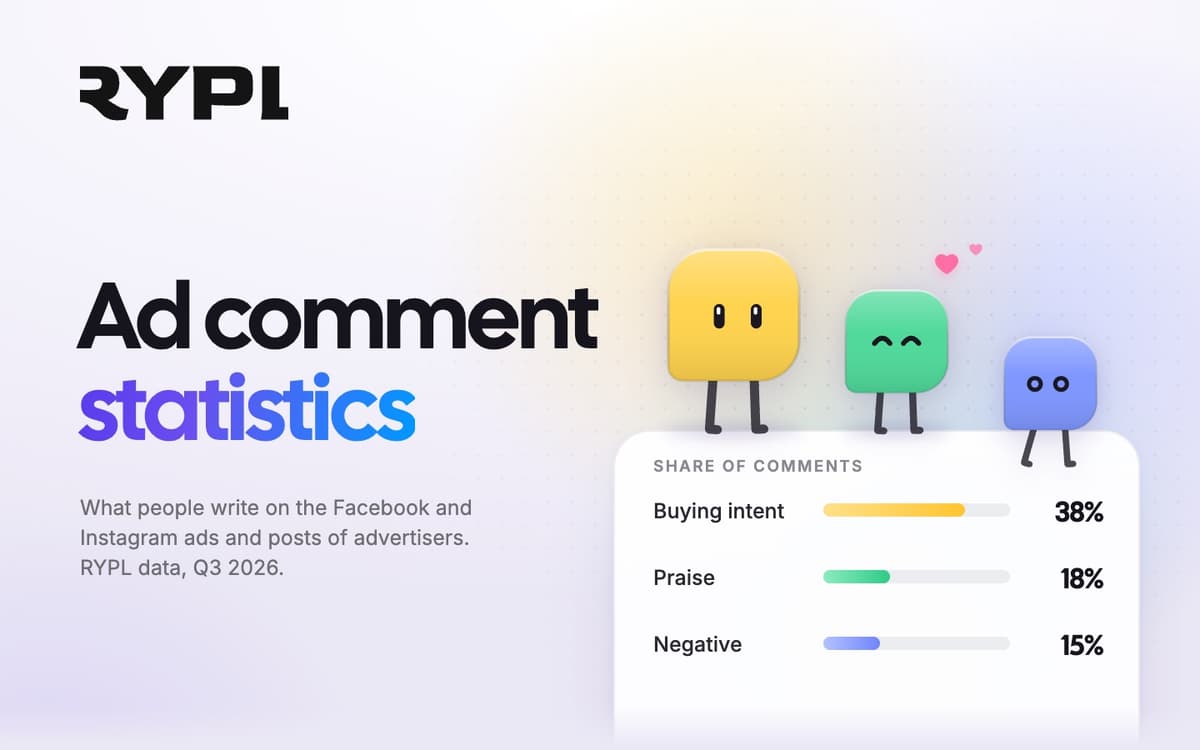
If you sell physical products on Facebook, you already know the types of questions that flood your ad comments. Sizing. Pricing. Color availability. Shipping times. Return policies. Product comparisons. Material details. Bundle options. These are not casual engagement — they are purchase intent signals.
A person asking "How much?" on your product ad is further down the funnel than someone who just clicked your landing page. They've already seen the product, felt the pull, and now they want the last piece of information before they commit. That's a buyer.
Yet most e-commerce brands treat comments as an afterthought. They pour thousands into ad creative, landing pages, and retargeting funnels — then leave the highest-intent touchpoint completely unattended.
The numbers tell the story. A Locowise analysis found 87% of user posts on Facebook brand pages were ignored. Not every post needs an answer, but product questions sit in the same pile, and each one left unanswered is a buyer who heard nothing back. That's money walking away, publicly, under your own ad.
What Happens When Product Questions Go Unanswered
Ignoring a product question on a Facebook ad creates three outcomes, and all of them are bad.
The buyer moves on. They asked you first, but you didn't answer. So they searched, found a competitor who responds in minutes, and bought there instead. You paid for the click that generated their interest — then handed the sale to someone else for free.
The buyer escalates. They comment again, this time frustrated. "Hello? Anyone there?" Now you have a negative public exchange sitting under your ad, visible to every other potential customer scrolling past. One unanswered question becomes a trust problem for everyone who sees it.
Other buyers lose confidence. This is the silent killer. A potential customer reads through your ad comments, sees five questions with zero replies, and decides this brand is either unresponsive or unreliable. They don't comment. They don't click. They just scroll past. You never even know they existed.
There's also an algorithm angle that most brands overlook. Posts with unanswered comments get reduced reach. Facebook interprets low reply rates as a signal that the page is not actively engaging with its audience. Your next ad starts at a disadvantage before it even launches. Unreplied comments don't just lose individual sales — they make every future ad more expensive.
The 5 Most Common Product Comments (And How to Handle Each)
Not all product questions are the same. Understanding the categories helps you build a response system that actually converts.
Pricing Questions
"How much?", "What's the price?", "Is there a discount?" These are the most common comments on e-commerce ads, and they require the simplest treatment. The customer wants a number, not a redirect to your website.
The ideal response is a direct price with a nudge toward purchase: "The Classic Tee is $45, and right now we're offering free shipping on orders over $60." Quick, specific, actionable. AI handles this by answering from the prices in your knowledge base — no manual lookups, as long as you keep it current.
Availability and Sizing
"Do you have this in XL?", "Is the blue one still in stock?", "What sizes are left?" These questions carry urgency. The customer is ready to buy right now if the answer is yes. A delayed response — even by a few hours — often means a lost sale because the impulse fades.
The response must be fast and specific. AI answers from your product information in under a minute: "Yes, the blue comes in XL. Grab it here." If your knowledge base says an item is sold out, it can point to the alternatives you list.
Shipping and Delivery
"How long to ship to Canada?", "Do you offer express?", "Is shipping free?" Logistics questions are the last hurdle before checkout. Generic responses like "check our website for shipping details" frustrate buyers because you're adding friction at the exact moment they're trying to remove it.
AI pulls shipping estimates based on the customer's mentioned location and gives a concrete answer: "We ship to Canada in 5-7 business days. Express is available at checkout for 2-3 day delivery." That's the difference between a question and a conversion.
Product Comparisons
"What's the difference between the Pro and Standard?", "Is this better than [competitor]?", "Which one is best for running?" These need nuanced answers that a simple template can't handle. The customer is weighing options and needs help deciding.
AI reads the product details in your knowledge base and highlights the differentiators relevant to what the customer actually asked. If they're comparing the Pro and Standard, it explains the specific upgrades. If they mention a use case, it recommends the right product for that scenario. This is consultative selling — happening automatically in the comments section.
Returns and Warranty
"What if it doesn't fit?", "Is there a warranty?", "Can I return it if I don't like it?" These are trust-building questions. The customer wants to buy but needs reassurance that the risk is low.
A confident, clear answer removes the last barrier to purchase: "We offer 30-day hassle-free returns on all orders. If it doesn't fit, we'll cover return shipping." AI responds with the exact return policy specifics, not vague reassurances. Precision builds trust.
Giving the AI Your Product Information
The breakthrough in e-commerce comment automation is answering from your own product information. This is what separates "smart" automation from "dumb" auto-replies — and the difference shows up directly in your conversion rate.
Instead of guessing, the AI should answer from your own product information: product pages, size charts, shipping and return policies. When that information is current, the AI knows the blue version exists, what it costs and which sizes you sell. When it's stale, so are the answers.
With Rypl, that source is your knowledge base: your website, files and Q&A (how replies use it). There is no live catalog or inventory sync, so when a price or stock level changes, update the page or file the agent reads. The AI doesn't guess; it answers from what you gave it.
The practical impact is significant. Rypl internal data from the early beta shows 28% more conversations converted to sales after enabling intent detection. When a customer gets an accurate, specific answer in seconds, the path from comment to checkout becomes frictionless.
Tracking Which Ads Generate Buying Intent
Comment data is a goldmine for ad optimization that most e-commerce brands completely ignore. Every question someone types under your ad is a data point about what your audience wants, what's confusing them, and what's stopping them from buying.
Here's what to track:
- Which creatives generate the most pricing questions — These are your highest-intent ads. People aren't just looking; they're evaluating. Double down on these creatives.
- Which products get the most availability questions — These are demand signals for inventory planning. If people keep asking about a specific color or size, stock more of it.
- Which objections repeat — If shipping cost concerns appear on every ad, that's a signal you need a free shipping threshold or need to address shipping in the ad copy itself.
- Which ads generate spam vs. real engagement — Not all engagement is equal. An ad with 200 comments but mostly spam is performing differently than one with 50 comments where 35 are product questions.
This data feeds back into your ad strategy in a concrete way. You allocate more budget to high-intent creatives, address common objections directly in your ad copy before they become comment-section friction, and plan inventory around actual demand signals instead of guesswork.
Over time, your comment data becomes a feedback loop: better ads generate better questions, better responses convert more buyers, and the whole system compounds.
Getting Started With E-Commerce Automation
Start with an audit before you touch any tool. Pull up the comments on your top 5 ads from the past 30 days. Count how many product questions went unanswered. Multiply the unanswered questions by your average order value and a conservative 10% conversion rate.
That number is what your comment section is currently costing you.
For most e-commerce brands at $5,000+ monthly ad spend, the result is rarely a rounding error. It comes not from bad creative or wrong audiences but from questions that sat unanswered while the buyer moved on.
Setup takes a few minutes: connect your Facebook Page, add your website, files and Q&A to the knowledge base, and set your brand voice. From there, questions your knowledge base covers get an answer in under a minute — at 2 PM or 2 AM — and complaints go to your Needs attention queue.
Start your free 7-day trial and find out what your comment section is actually worth.